


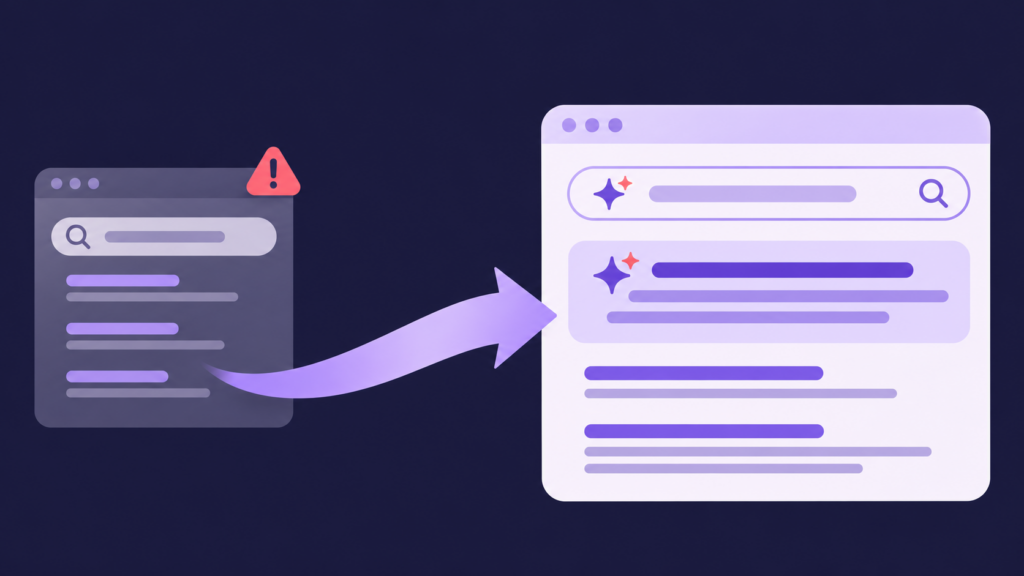
If your website’s search runs on Google Programmable Search Engine, the tool many teams still call Google Custom Search, it is changing. Some setups need a new home by January 1, 2027.
This guide is for the people who own that website search experience: web managers, marketers, and digital teams across higher education, government, financial services, associations, and manufacturing. It is not about scraping Google’s results into an app. That is a different problem with different answers, and it is what most articles on this topic actually cover. If Google powers search on your own site, read on. By the end you will know whether you are affected, when to act, and how to move, whichever tool you choose.
What’s changing
On January 20, 2026, Google announced it is reshaping Programmable Search Engine into a narrower product. Four things are happening, all traceable to that announcement:
- The free tier now caps at 50 domains. The “Sites to search” feature stays free, but you can designate a maximum of 50 domains.
- Full-web search is going away. Engines that search more than 50 domains, or the entire web, must move to an alternative by January 1, 2027. Google does not publish a price for its replacement full-web solution; you complete a form and contact its team to find out.
- The Custom Search JSON API is closing. It is already closed to new customers, and existing integrations must move by January 1, 2027. Google points existing users to Vertex AI Search in Google Cloud.
- New engines are already restricted. Since the announcement, every newly created engine must use “Sites to search.” Only existing engines keep the full-web option until the deadline.
This is not new behavior from Google. It retired Google Site Search in 2017, discontinued the Google Search Appliance before that, and shut down the Site Restricted JSON API in early 2025. Site search has never been Google’s core business, and each change has sent organizations looking for something built for the job.
Am I affected? A 30-second check
Start with one question for your web team: how many domains and subdomains does our search cover? Then find your row.
| Your current setup | What happens | By when |
| Search Element, 50 or fewer domains | Keeps working on the free tier, with Google’s ads and branding unless you pay to remove them | No deadline today |
| Search Element, more than 50 domains or “Search the entire web” | Must move to an alternative | January 1, 2027 |
| Custom Search JSON API (custom-built search) | API is retired. You must move to an alternative | January 1, 2027 |
| Creating a new engine | Limited to 50 domains from day one | Already in effect |
Even if you sit safely under the cap, it is worth asking a harder question. Is a free tool with ads on your results, limited analytics, and no roadmap commitment the experience you want your visitors to have?
How urgent is your move?
The table tells you whether you have to move. This tells you how fast. Find your setup:
- Full-web search or a JSON API integration: most urgent. Start now and run evaluation, indexing, and testing in parallel rather than one after another, because there is no grace period once the deadline passes.
- Over 50 domains on the Search Element: active work, not a someday task. The sooner you shortlist, the more say you have in who you move to and on what terms.
- Under 50 domains and happy on the free tier: you have the most runway. Spend it evaluating a replacement on your own timeline, rather than waiting on a narrowed product with ads, limited analytics, and no roadmap commitment to change again.
- Already past the deadline with search that has stopped: you can still migrate. Your content has not changed, so a new platform can crawl and index it and have search live again in days.
Whatever your case, the work follows the same path: audit your domains and integrations, shortlist against clear criteria, index your content while your current search keeps running, test in parallel, then cut over and decommission the old engine. The step-by-step runbook further down walks through each one.
Which organizations feel this first?
Anyone with a sprawling content estate. A single-domain marketing site barely notices the cap. Organizations that run dozens or hundreds of domains hit it fast, and they are often the ones that leaned on a free tool because nobody budgeted for an alternative.
- Universities run separate domains for schools, departments, libraries, and athletics. A 2017 audit at the University of Edinburgh counted around 1,600 institutional websites, spread across roughly 1,300 subdomains and 300 separate domains (University of Edinburgh). Fifty is not close.
- Government and public sector sites spread parks, utilities, courts, and permitting across separate domains, under accessibility rules and rising expectations that residents find answers themselves.
- Banks, insurers, and wealth managers keep rates, coverage, and account information across public sites and logged-in portals, under strict compliance and data-handling constraints.
- Associations hold deep libraries of journals, standards, courses, and community threads, much of it behind member login.
- Manufacturers spread product specs, manuals, and technical documentation across PDFs and multiple sites.
Across all of them, search is the one layer that has to span a fragmented estate, and the free tool that used to cover it is being narrowed.
Google’s own options, and where they fall short
Google offers two paths, and both deserve an honest look.
Vertex AI Search is what Google recommends for JSON API users, for collections of up to 50 domains. It is capable. But it is an enterprise Google Cloud product, which means enterprise cloud pricing, GCP setup, and enterprise procurement. For a web team with a flat budget and no dedicated search engineers, that is a heavier lift than moving your site search to a purpose-built platform.
The full-web product has no published price. Google tells you to complete a form and contact its team to learn about its capabilities and pricing (source: Google Programmable Search Engine blog, January 20, 2026). Some users discussing the change on Reddit have reported quotes in the tens of thousands of dollars, though these reports are anecdotal and unconfirmed. The point is not the specific figure. It is that the cost is a black box you cannot plan a budget around.
If either fits your organization, they are legitimate choices. For many website owners, though, Google’s replacements are built and priced for a different kind of buyer.
This is also your chance to move from links to answers
Here is the opportunity hiding inside a forced migration. Google’s tool was built to return a list of links. That was fine a decade ago. Today your visitors are used to asking a question and getting a direct answer, and they expect the same on your website.
The old model also quietly fails people. Even where organizations invest in self-service, Gartner found only 14% of issues are fully resolved there, and the single most common reason for failure, in 43% of cases, was that people could not find content relevant to their question (Gartner, August 2024). A list of links does not solve that. A direct, grounded answer does.
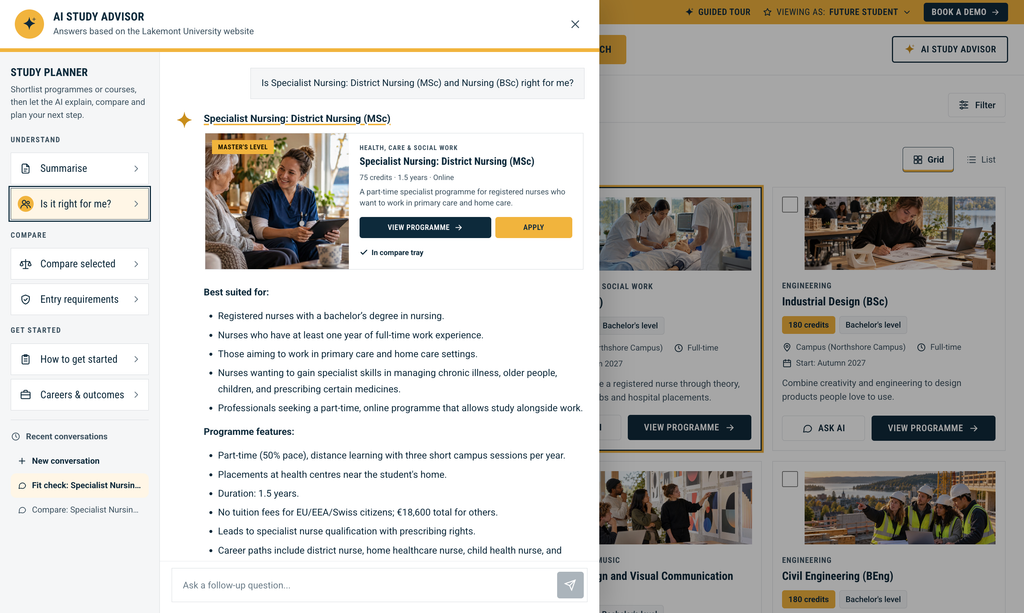
So while you have to make a change anyway, ask the bigger question. What should search on your site actually do? Moving off a narrowing link list is the natural moment to move from search to answers, and then to conversation, all grounded in your own content.
If you want to weigh the field first, our rundown of the best Google Programmable Search Engine alternatives compares the main options side by side.
Here is what that progression looks like in practice.
- The old way (a list of links): the program page, a PDF academic calendar, an admissions FAQ, a news post from two years ago. The student clicks through three of them and pieces the answer together.
- With AI Answers: a single response at the top, drawn only from your own pages and shown with its source. “The fall nursing application deadline is January 15. Transfer applicants have until February 1.” Linked to Admissions, Nursing.
- With AI Conversations: the student keeps going without starting a new search. “Do I need the TEAS exam?” then “What GPA do I need?” Each answer stays grounded in your content, in context, on your site.
That is the real upgrade. Keyword search, AI Answers, and conversational discovery are not three tools to assemble. On one platform they are one experience, moving from a query to an answer to a conversation, with the sources shown at every step so visitors can trust what they read and stay on your site rather than leaving to ask an AI tool somewhere else.
What it costs to replace Google Programmable Search
Part of what made Google’s tool attractive was that it looked free. Here is what the real options cost, so you can compare like for like:
- Google’s old JSON API terms: 100 free queries per day, then $5 per 1,000 queries, up to 10,000 a day, until the service is discontinued on January 1, 2027 (source: Google for Developers, accessed October 2026).
- Google’s full-web product: no published price; you complete a form and contact Google to find out.
- Vertex AI Search: enterprise Google Cloud pricing, billed and procured like other GCP services.
- Purpose-built site search platforms: published, predictable pricing you can put in a budget.
Transparency here matters. You should not have to fill out a form to learn whether a tool fits your budget, which is why AddSearch publishes its pricing with no hidden costs. [CONFIRM: current starting price or plan to cite]
How to migrate off Google Programmable Search
This runbook works whichever tool you choose. A managed platform with ready-made UI solutions will collapse several of these steps, and an API-led approach keeps full control for technical teams. The sequence is the same either way.
- Inventory what you have. List every place search appears on your site, every Programmable Search engine (cx) ID, and any code calling the JSON API. You cannot migrate what you have not found.
- Confirm your domain count. This decides whether you are in the “keep the free tool” camp or the “must move” camp.
- Choose a replacement against clear criteria. Result quality, analytics, accessibility, control over ranking and promoted results, how well it searches across multiple domains, and how much your team can manage without a dedicated search team.
- Index your content. Point the new platform at your sites and let it crawl and index across every domain and subdomain you need. For gated content, authenticated crawling and API-based indexing reach what is behind a login.
- Configure scope, results, and AI features. Set what is included, how results rank, and any AI Answers or AI Conversations you want to switch on.
- Match your brand. Style the search experience to your site so the change is invisible to visitors.
- Test in parallel. Run the new search alongside the old one. Check result parity, fix no-results queries, and confirm nothing important dropped.
- Cut over and redirect. Replace the old search, set up any redirects, and go live.
- Decommission before the deadline. Turn off the old engine with a buffer, and watch for errors from anything you missed.
Why consider AddSearch for your migration
First, the honest trade-off. AddSearch is a paid product with no free-forever tier, so next to Google’s free Search Element, it is a step up in cost. There is a 14-day free trial rather than an indefinite free plan.
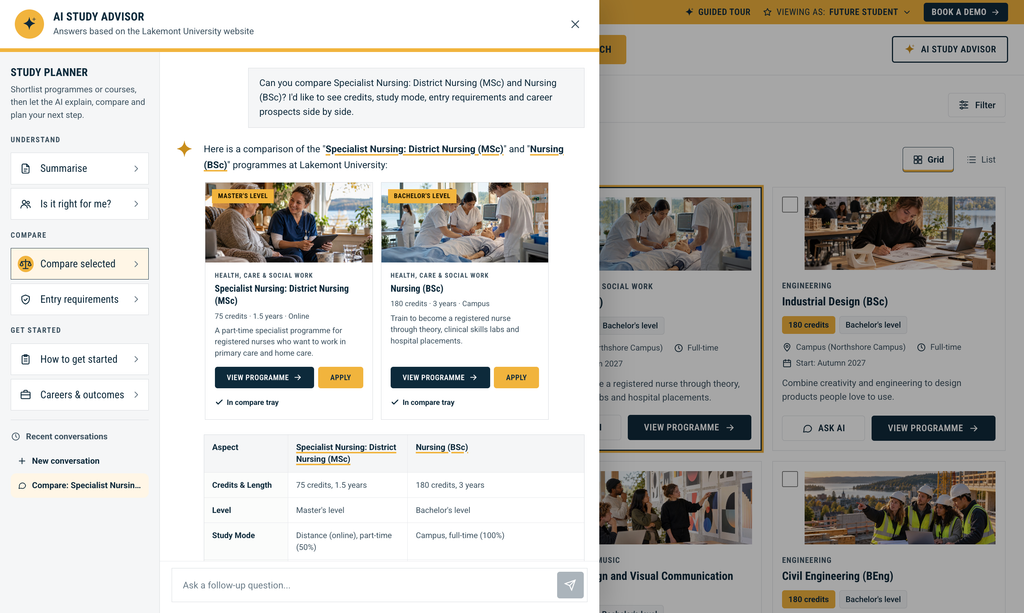
Here is what you get for it:
- Answers and conversations, not just links. Keyword search, AI Answers, and AI Conversations work together, every response grounded in your own content and shown with cited sources, so visitors trust what they read.
- One platform for scoped and federated search & discovery experiences. You get all three capabilities from day one and choose how much to deploy and where, rather than assembling a stack.
- Your whole estate, gated content included. Crawling and API-based indexing reach across every domain and subdomain, including content behind a member or customer login.
- On brand and ad-free. No third-party ads on your own results, and a search experience styled to match your site.
- Live in days, not a replatform. You can implement yourself using ready-made UI solutions, UI libraries, and APIs, or work with AddSearch’s team. Most deployments go live in days without a dedicated search team.
- Enterprise-grade trust. AddSearch holds SOC 2 Type II and GDPR compliance.
- Built for any size. From a single site to a network of hundreds of subdomains.
If you are moving off Google Programmable Search anyway, these are the points worth scoring against your shortlist.
Ready to move off Google Programmable Search?
The deadline is set, but your next step is a small one. The same project that gets you off a narrowing tool can take you from a list of links to an answer engine that responds from your own content, with cited sources, live in days.
See it on your own site before you decide. Start a free trial to index your content and watch AddSearch answer real queries from it, or book a personalized demo and we will walk through your setup, your domains, and exactly what moving to AddSearch looks like for your team.
Start your free trial or book a personalized demo.
Frequently asked questions
Is Google Programmable Search Engine shutting down?
Not entirely. The free Search Element remains for engines covering 50 or fewer domains. What ends by January 1, 2027 is the full-web option for existing engines and the Custom Search JSON API.
Is Google Custom Search the same as Programmable Search Engine?
Yes. Google renamed Custom Search Engine to Programmable Search Engine, and many teams still use the older name.
Does my existing site search stop working?
If it covers 50 or fewer domains, it keeps working on the free tier, with Google’s ads and branding. If it searches more than 50 domains or the whole web, or runs on the JSON API, you need to move by January 1, 2027.
What happens if I miss the deadline?
Full-web engines and JSON API integrations should be expected to stop working as they do today. If you are already past the date, you can still migrate. It is simply more urgent.
How long does it take to migrate to AddSearch?
Indexing is the fast part. Point AddSearch at your sites and it crawls and indexes across your domains and subdomains, including content behind a login, so search can be live in days. You can go live with ready-made UI solutions, or use the UI libraries and APIs if you want more control, and AddSearch’s team can help with setup. Your Google search keeps running until you are ready to switch, so there is no gap for visitors. The longer stretch is usually your own evaluation and procurement, which is why it pays to start now rather than close to the deadline.
What does it cost to replace Google Programmable Search?
It depends on which way you go, and the two realistic paths are priced very differently.
If you move to Google’s own replacement, the cost is hard to pin down up front. Vertex AI Search is billed as an enterprise Google Cloud service, metered and procured like the rest of GCP, and the full-web product has no published price at all. Either way, you cannot put a firm number in a budget before you commit.
If you move to a purpose-built platform like AddSearch, pricing is published and predictable. Keyword Search starts at $119 per month billed annually, AI Answers starts at $700 per month, and AI Conversations and the AddSearch Experience are quoted to your setup. A 14-day free trial lets you test on your own content before you buy. Whatever your domain count, you can size the cost before you commit, which is the opposite of Google’s quote-only options.
What is the best option for a lean team?
Look for a managed platform you can run without a dedicated search team, with ready-made UI solutions for a fast launch and UI libraries and APIs available when you want deeper customization possibilities.
