


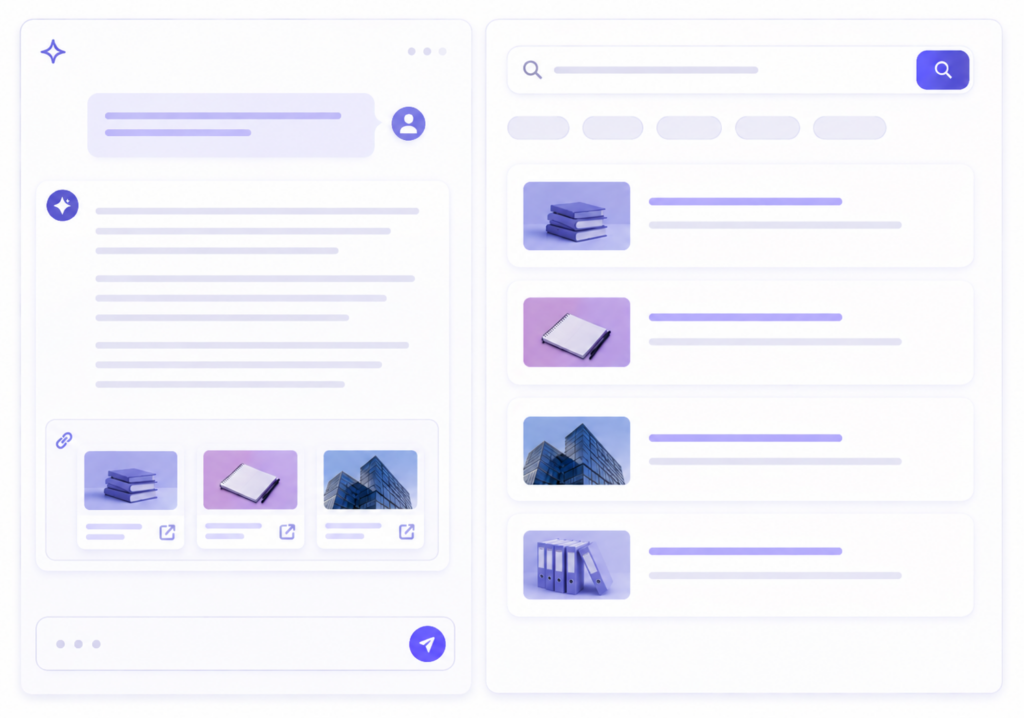
The way people search on websites has changed more in the past two years than in the previous decade. First came the shift from keyword results to AI-powered answers: ask a question, get a direct response. Then came multi-turn conversations: follow up, dig deeper, explore a topic without starting over.
Now the expectation has shifted again. Visitors don’t want to pick a search mode. They want to start with a search query, get an instant AI answer along with the search results, and shift into a full conversation, all in the same session, without losing context or starting over.
73% of website visitors leave when they can’t find answers quickly. Most websites today can offer one or two pieces of this experience. Rarely all three, connected.
We’ve been building toward this for a while. AddSearch launched AI Answers in early 2025, giving website visitors direct answers grounded in your content. In January 2026, we launched AI Conversations, making multi-turn, context-aware discovery possible on any website.
Today, we’re launching AddSearch Experience: the unified platform that brings keyword search, AI Answers, and AI Conversations together in one connected experience.
This post will walk you through what AddSearch Experience is, how it works, and why the unified platform matters more than having each capability separately.
Our Journey to the AddSearch Experience
Keyword Search has been at the core of AddSearch since 2013. For more than a decade, we’ve helped organizations connect visitors with the right content through fast, relevant search experiences. As user expectations evolved, so did search itself.
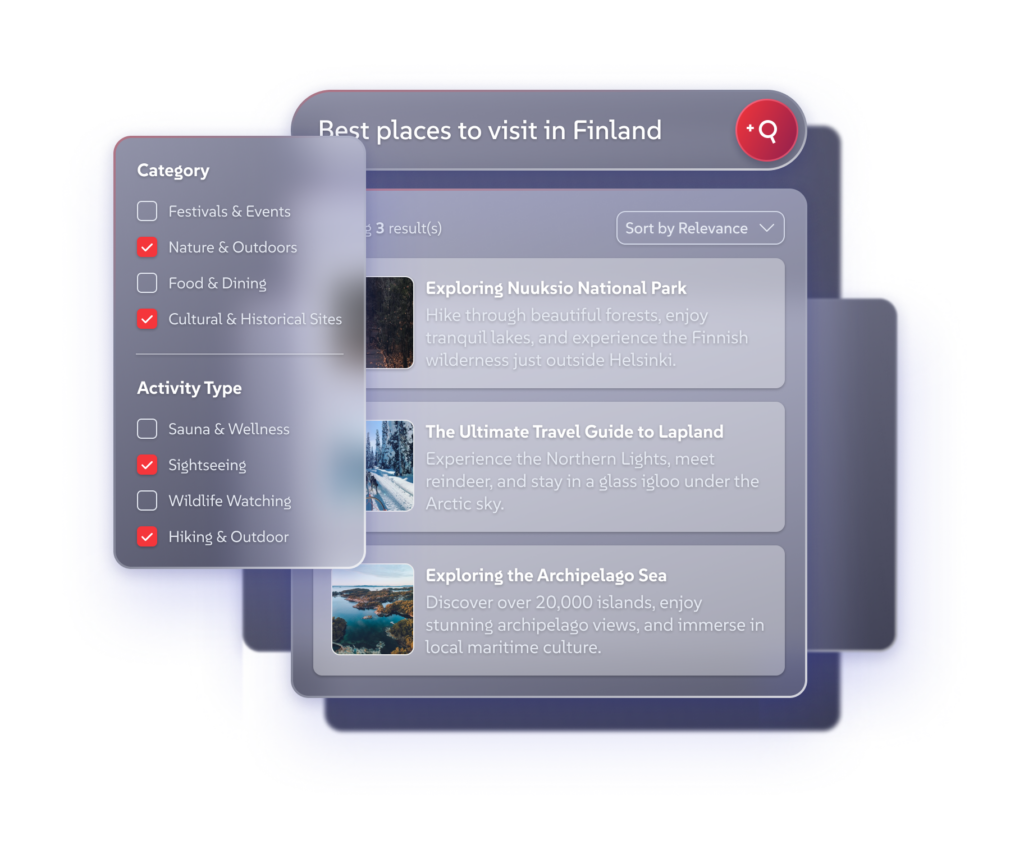
The next step was AI Answers. Instead of scanning through multiple results to find the information they needed, visitors could receive a direct answer generated from your indexed content. Answers remained grounded in your website and knowledge base—without relying on external sources. Search became faster, more intuitive, and more effective for question-based discovery.
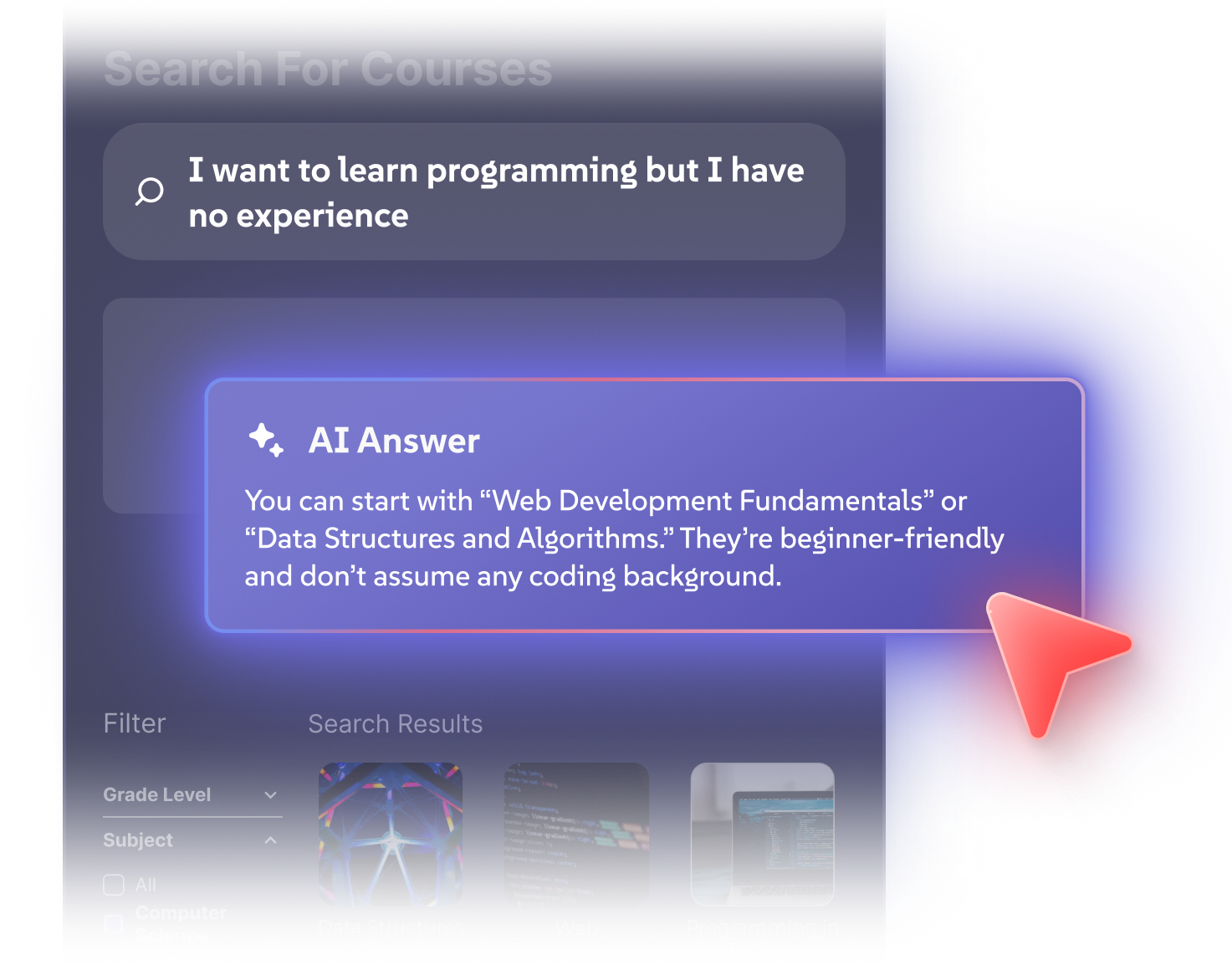
Then came AI Conversations. Visitors could ask follow-up questions, refine their search, and explore topics through natural dialogue. Rather than starting over with each query, they could build on previous answers and maintain context throughout the interaction. The experience became more exploratory while staying fully grounded in your content.
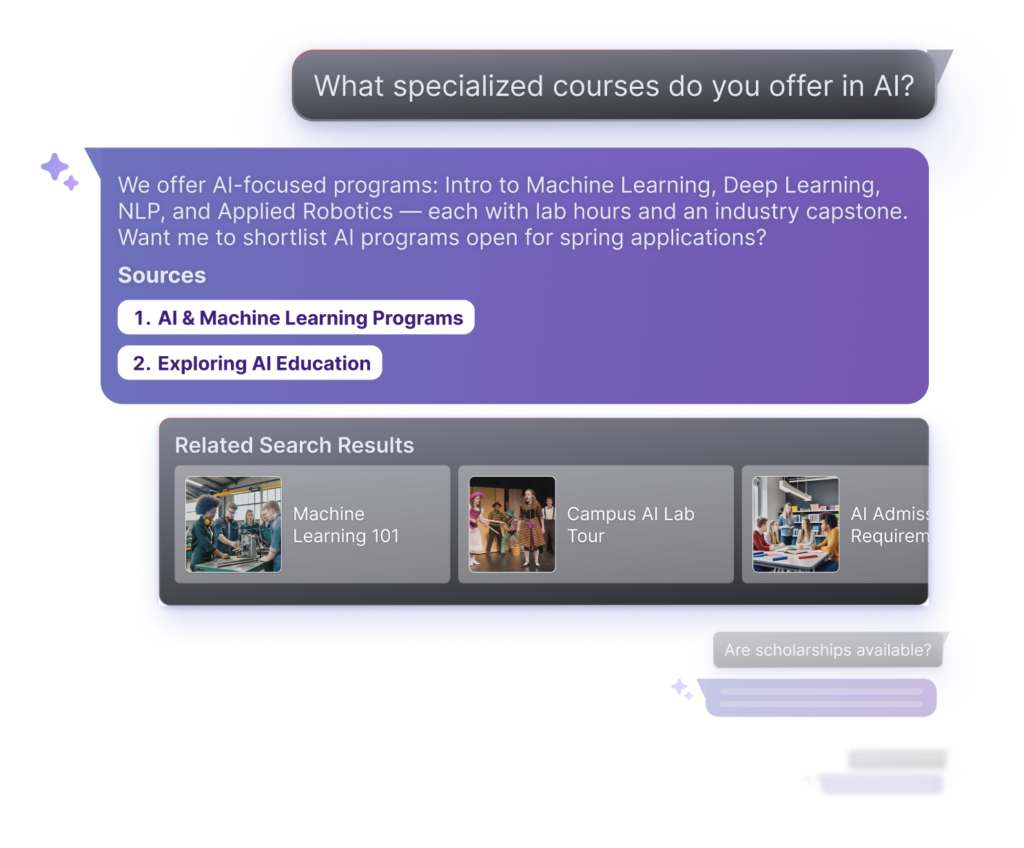
As organizations adopted both capabilities, a new pattern emerged. Many visitors wanted more flexibility in how they discovered information. Some preferred to begin with a traditional keyword search, others started with a question. And once they found something relevant, they often wanted to continue their journey by asking follow-up questions, exploring related topics, or diving deeper into the content.
That’s what led to AddSearch Experience.
AddSearch Experience brings together keyword search, vector search, AI Answers, and AI Conversations into a single, unified discovery experience. Visitors can move seamlessly between searching, getting direct answers, and having deeper conversations- all within the same session and with shared context throughout.
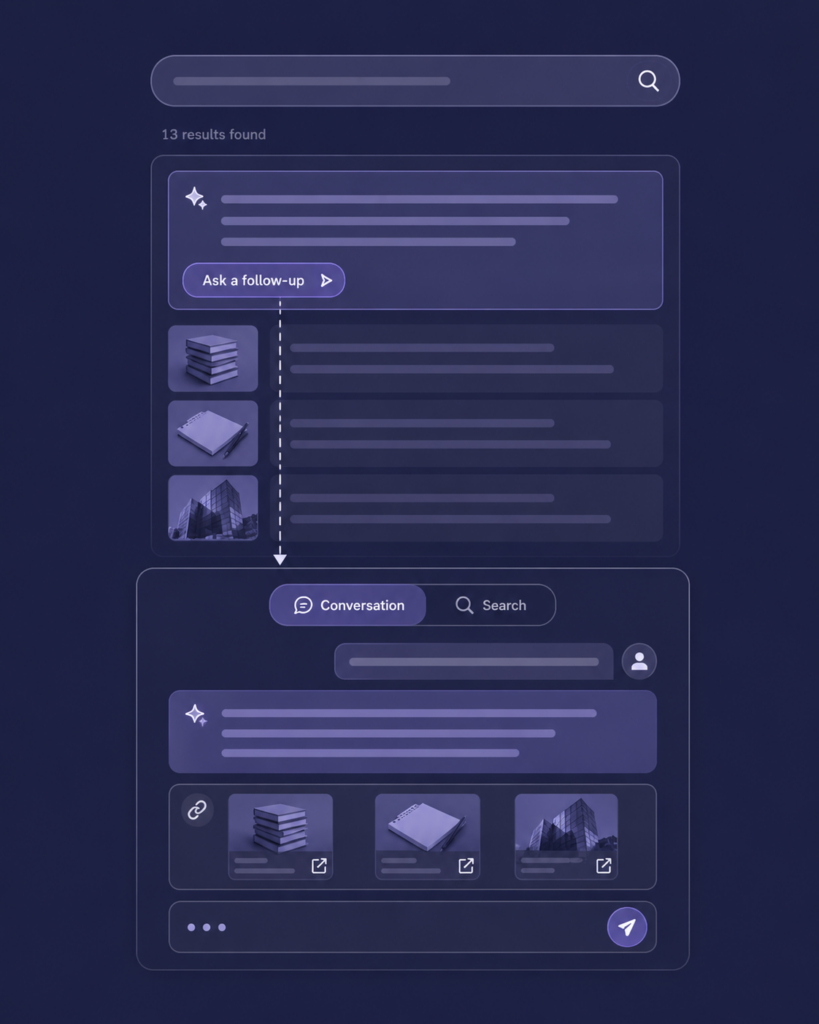
The result is a more natural way to discover information: one platform, one implementation, and one continuous experience from first search to final answer.
What Is AddSearch Experience?
AddSearch Experience is the unified AI search and conversational content discovery platform for your website. It combines keyword search, AI Answers, and AI Conversations into one connected experience so every visitor finds what they’re looking for, regardless of how they search.
Key capabilities:
✅ Keyword Search: Fast, relevant search results. The foundation of every search session, backed by over 10 years of search expertise.
✅ AI Answers: Instant answers surfaced above search results, grounded exclusively in your indexed content.
✅ AI Conversations: Multi-turn conversational search with full context memory. Visitors ask follow-ups, explore topics naturally, and the system remembers what was discussed throughout the session.
✅ Single implementation: One platform to set up, configure, and manage.
It’s one connected experience where each capability builds on the others.
How AddSearch Experience Works
Crawler Indexing:
- Automatically crawls your website to collect links and content.
- Supports static sites and AJAX crawling for JavaScript-heavy sites.
- Can index multiple domains and platforms into a single search index.
- Supports authenticated crawling for content behind login using Basic or Form-based authentication.
- Allows control over which parts of your site to index via site areas and meta tags.
API Indexing (Indexing API):
- Allows you to push documents directly to the search index via REST API.
- Supports creating, updating, batch updating, and deleting documents.
- Documents can include custom fields with various data types (text, integer, double, unix timestamp for dates).
- Document IDs can be specified or generated automatically (e.g., via URL md5 checksum).
- Provides real-time indexing with quick availability of updated content.
- Useful for well-structured data or dynamic/live content such as news or video platforms.
Every response comes from your content only. No external sources, no third-party knowledge bases. The AI works strictly within what you’ve provided.
The Complete Search and Discovery Experience
A visitor who starts with a keyword search and moves into AI Conversations doesn’t lose the thread. The system knows what they were looking at before the conversation started.
This matters because search behavior isn’t linear. Visitors don’t decide in advance which mode they need. They move between them naturally, depending on what they find. AddSearch Experience supports that.
Flexible by Design
AddSearch Experience brings keyword search, AI Answers, and AI Conversations together in one platform. But that doesn’t mean you have to deploy everything at once.
You can start with AI Answers on top of your existing search experience. You can add AI Conversations when your content and use cases call for deeper exploration. Or you can launch with all capabilities from day one.
The goal isn’t to force visitors into a specific search mode. It’s to support how they naturally search and discover information.
AddSearch Experience grows with your needs.
Built for Trust and Control
The question we hear most often: “How do we know the AI won’t answer with the wrong content, or say something inaccurate?”
Here’s how AddSearch Experience addresses that.
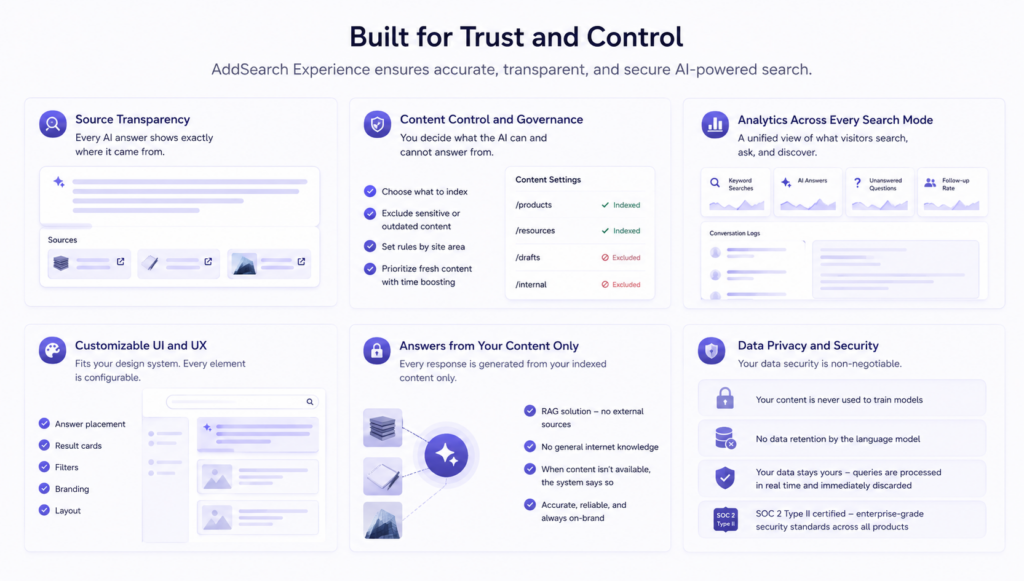
Source Transparency – Every AI answer shows exactly where it came from.
Document citations and clickable source links are built in. Visitors can see which pages the answer was generated from and verify it themselves.
Source transparency isn’t a nice-to-have. It’s what makes AI answers trustworthy enough to put in front of your visitors.
Content Control and Governance – You decide what the AI can and cannot answer from.
Choose which pages and sections are indexed. Exclude sensitive, outdated, or draft content. Set rules by site area. Prioritize fresh content with time boosting.
This prevents AI from surfacing answers from pages you don’t want included, whether that’s a deprecated product page, a document that shouldn’t be public-facing, or content that hasn’t been approved yet. Your content, your rules.
Analytics Across Every Search Mode – Standard search analytics don’t tell the full story when AI is involved.
AddSearch Experience gives you a unified view: keyword search volume, AI answer, unanswered questions, follow-up rates, and full conversation logs, all in one dashboard.
This tells you not just what visitors searched for, but what they couldn’t find. Content gaps become visible. You can see which questions your content doesn’t answer well and fix them before more visitors hit the same dead end.
Customizable UI and UX – AddSearch Experience fits your existing design system.
Answer placement, result cards, filters, branding, and layout are all configurable. Every website has its own design language. AddSearch Experience works within it, not around it.
Every response is generated from your indexed content only.
It is a RAG solution. No external sources, no general internet knowledge, no information from outside what you’ve provided. The language model is strictly instructed to use only your indexed content. When relevant content isn’t available, the system says so rather than generating an answer it can’t support.
This is a fundamental difference from using public AI tools, which are designed to be helpful even without source material. AddSearch uses the language model as a tool under strict guidelines, not as a general-purpose assistant.
Data Privacy and Security
Your data security is non-negotiable:
- Your content is never used to train models
- No data retention by the language model
- Your data stays yours – queries are processed in real time and immediately discarded
- SOC 2 Type II certified – enterprise-grade security standards across all products
Implementation: How to Get Started
Setting up AddSearch Experience is straightforward.
Quick Setup Process
Timeline: Live within a few days for standard implementation.
The process works in three phases:
- Kickoff: Identify the content sources to include, review an initial AI experience, and agree on the user experience and branding.
- Set up: Index your content, customize the experience to match your brand, and configure answer guidelines and behavior.
- Go live: Add a lightweight code snippet to your site, review the experience, and make any final adjustments.
We handle the technical setup. You focus on which content to include and how you want answers to sound.
AddSearch Experience complements your existing search, CMS, analytics, and support tools. There’s no need to replace your current setup or migrate content.
14-Day Free Trial
See AddSearch Experience working with your actual website content before making any commitment.
Here’s how it works:
- Book a personalized demo with our team
- We prepare your demo environment using your website content
- Test it yourself for 14 days with full access
- Decide if it’s right for your website. No risk, fully functional.
You’ll see exactly how keyword search, AI Answers, and AI Conversations perform with your specific content and visitor use cases.
Conclusion
Search has moved from keywords to a conversational discovery experience. AddSearch Experience helps visitors find answers, discover relevant content, and reach the next step faster; all within a single, consistent experience.
The benefits are clear:
- One discovery experience combining search and AI
- AI responses based on your indexed content, not general web knowledge
- Full control over what the AI can access and respond from
- Source citations on every AI answer for complete transparency
- Unified insights across the entire discovery experience
- Configurable UI that fits your existing design system
- Works alongside your current search setup. No need to start from scratch.
- 14-day free trial with your own content
Visitor expectations have shifted. They now expect websites to handle the full range of search behavior: from a quick keyword lookup to a direct AI answer to a multi-turn conversation. AddSearch Experience is built for exactly that.
The best way to understand it is to experience it with your own content.
Ready to Get Started?
Start a free trial
Simply go to our website, and start a free trial for AddSearch Experience and see how it works with your own website content.
Book a Personalized Demo
See AddSearch Experience working with your actual website content. We’ll set up a demo environment with your content so you can test keyword search, AI Answers, and AI Conversations with your specific use cases. Includes a 14-day free trial.
Frequently Asked Questions
How is AddSearch Experience different from having AI Answers and AI Conversations separately?
Having AI Answers and AI Conversations separately means two different implementations, two analytics dashboards, and no shared context between modes. AddSearch Experience brings them together so visitor sessions can move between keyword search, AI answers, and full conversations without friction. Context carries across modes. Analytics are unified. One platform to manage.
Do I need to replace my existing search to use AddSearch Experience?
No. AddSearch Experience works alongside your current setup. If you want the full chat-to-search functionality, you’ll need AddSearch’s keyword search as your search provider. For AI Answers and AI Conversations, these work with any existing search provider.
Can I use just one or two of the three capabilities?
Yes. AddSearch Experience is modular. You can start with keyword search and AI Answers and add AI Conversations when you’re ready. Or use all three from day one.
How does AddSearch Experience prevent hallucinations?
The AI is strictly instructed to use only your indexed content. No external sources, no general internet knowledge. When an answer isn’t available in your indexed content, the system says so rather than generating a response it can’t support. We use the language model as a tool under strict content boundaries.
How long does implementation take?
For standard implementation, AddSearch Experience can be live within a few days. Custom configurations and staging environment testing extend the timeline accordingly. We’ll give you a specific estimate during your demo based on your setup.
What does pricing look like?
Pricing is based on the number of indexed pages and the volume of AI queries per month. AI Answers starts from $8,400 per year. For an AddSearch Experience with AI Conversations included, contact us for a quote tailored to your specific requirements.
Which websites is AddSearch Experience best suited for?
AddSearch Experience is built for content-heavy websites where visitors regularly need to search, ask questions, and explore information. It works particularly well for higher education, banking and financial services, government, associations, and manufacturing. Any website with a large content library and visitors who need to find specific information will benefit from the unified platform.
How fast are the responses?
AI Answers and AI Conversations both deliver responses in under 3 seconds for most queries. We continuously optimize performance to maintain these response times.
Will my data be used to train the AI models?
No. Your data is not stored by the language model and is not used for training. The index is stored only by AddSearch. Queries are processed in real time and immediately discarded.
