



Most websites are built around an assumption: if you organize the content well enough, people will find what they need.
It is a reasonable assumption. But it breaks down fast when a website grows large. More pages mean more menu links, more categories, more nested sub-sections. And at some point, the navigation that was supposed to help visitors starts getting in their way.
The good news is that there is a better path. Conversational search gives visitors a direct route to the information they are looking for, without asking them to first figure out how a website is structured. This article explains why navigation becomes a bottleneck on large sites, what conversational search changes, and how organizations are already putting it to work.
Why Navigation Breaks Down on Large Websites
Navigation is designed to create order. It works well when a website has a manageable number of pages and visitors have a clear sense of where things live.
But most content-heavy websites do not look like that. A university might have hundreds of program pages, application guides, financial aid resources, student support documents, and library catalogs all sitting under different sections. A government portal covers services for citizens, businesses, and internal staff, each with its own pathways. An association publishes years of research, event archives, professional standards, and certification resources, none of which have obvious homes in a single nav structure.
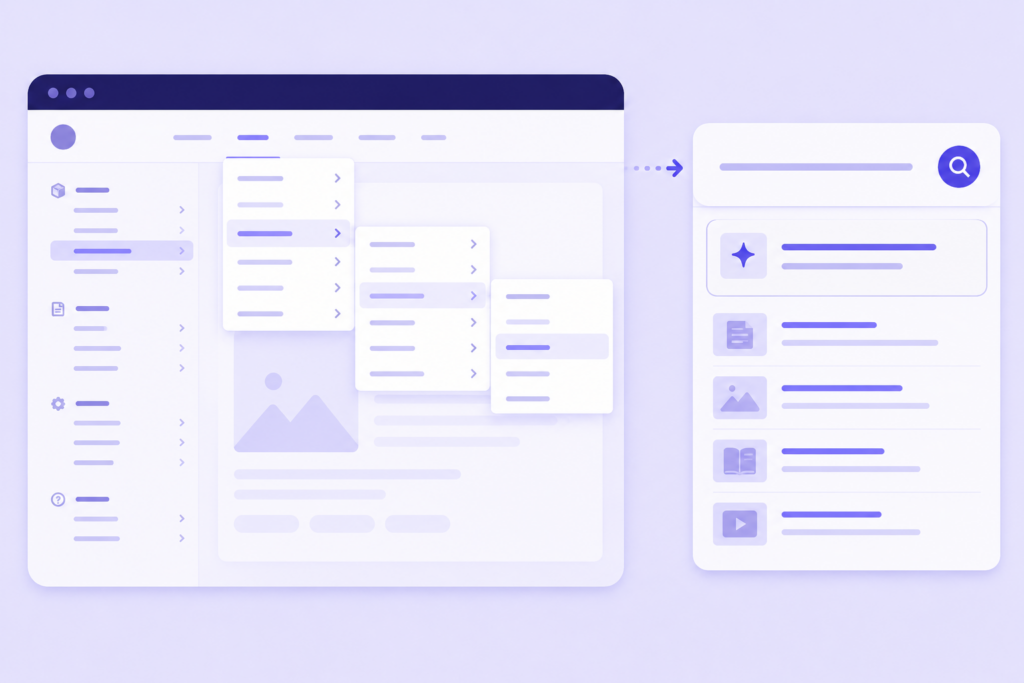
When visitors land on these sites, they often have a specific question. They are not there to browse. But the navigation asks them to make a series of choices before they can get to the answer. Which section? Which sub-section? Which page? And if any of those guesses are wrong, they hit a dead end and start over.
The structure made sense to the team that built it. It rarely makes the same sense to the person trying to use it.
The Real Cost of Navigation Dependency
When visitors cannot find what they are looking for through navigation, the cost shows up in a few familiar places.
Bounce rates go up on entry pages where visitors arrive with a specific question but can not identify where to go next. Support volume increases as people call or email to ask questions that are already answered somewhere on the site. And trust starts to erode. If a prospective student asks a simple question and gets a menu instead of an answer, they start questioning whether your institution is the right fit.
There is also the internal cost. Staff at universities, government agencies, and associations spend a significant portion of their time answering questions that are already documented, simply because visitors can’t locate the relevant page on their own.
What makes this harder to ignore is that visitors are not asking for much. 81% of customers want the organizations they deal with to provide self-service options that let them find answers on their own. The expectation is already there. The gap is in delivery.
What Conversational Search Changes
Conversational search flips the dynamic. Instead of asking visitors to navigate to an answer, it brings the answer to them.
A visitor types a question in plain language, the way they would ask a colleague or type into Google. The system understands what they are asking, not just the keywords in the query, and returns a direct answer sourced from the website’s own content.
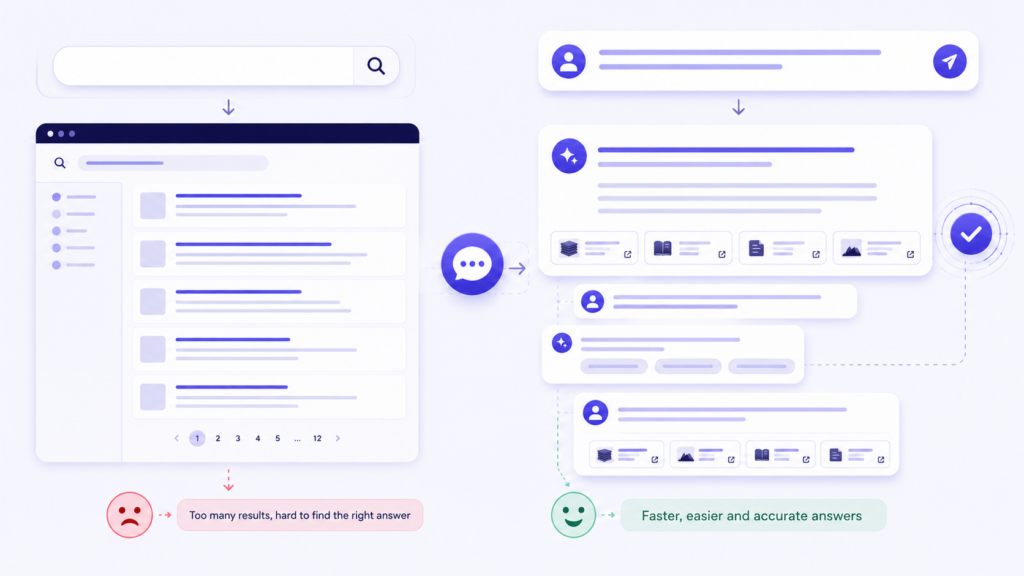
What makes this different from a basic keyword search is context. Conversational search remembers what has been asked earlier in the session. A visitor who starts with “what are the requirements for postgraduate admission?” can follow up with “what about for international students?” without repeating the full question. The system carries the thread forward.
Search results also update in real time as the conversation progresses. If a visitor starts with a broad question and narrows it down through follow-ups, the search results shown alongside the conversation reflect where they have arrived, not where they started. Navigation and conversation work together rather than separately.
The visitor stays in one place. The content comes to them.
Navigation Still Matters. Its Role Just Changes.
Removing navigation is not the goal. Reducing the pressure on it is.
Navigation does some things well. It helps visitors who are still exploring, who want to understand what a site covers before deciding where to go. It is useful for browsing, for orientation, and for finding things that are hard to describe in a question.
But navigation is poorly suited to intent-driven queries. When a visitor already knows what they want, asking them to scan menus and make choices is friction they did not need.
Conversational search handles intent. Navigation handles exploration. The two work better together than either does alone, and visitors can move between them without any disruption. A visitor who starts by asking a question can switch to traditional search results with one click. A visitor who is browsing can drop into a conversation when a specific question comes up.
The practical effect is that navigation stops being the primary way visitors access information. It becomes a secondary path for those who prefer it. That shift alone takes significant pressure off information architecture decisions, because the stakes of any given nav choice are lower when visitors have another reliable route to what they need.
How AddSearch Brings Conversational Search to Websites of Any Size
Understanding why navigation alone falls short is useful. Having a practical way to address it, without rebuilding a site from scratch, matters more.
AddSearch offers three AI capabilities that can be added to any website, working with existing content. They can be used independently or together, depending on where an organisation is starting from.
AI Answers
AI Answers lets visitors type a direct question and receive a single, accurate answer immediately. The answer is sourced only from the website’s indexed content. No external sources. No hallucinations. No promoted content from competitors.
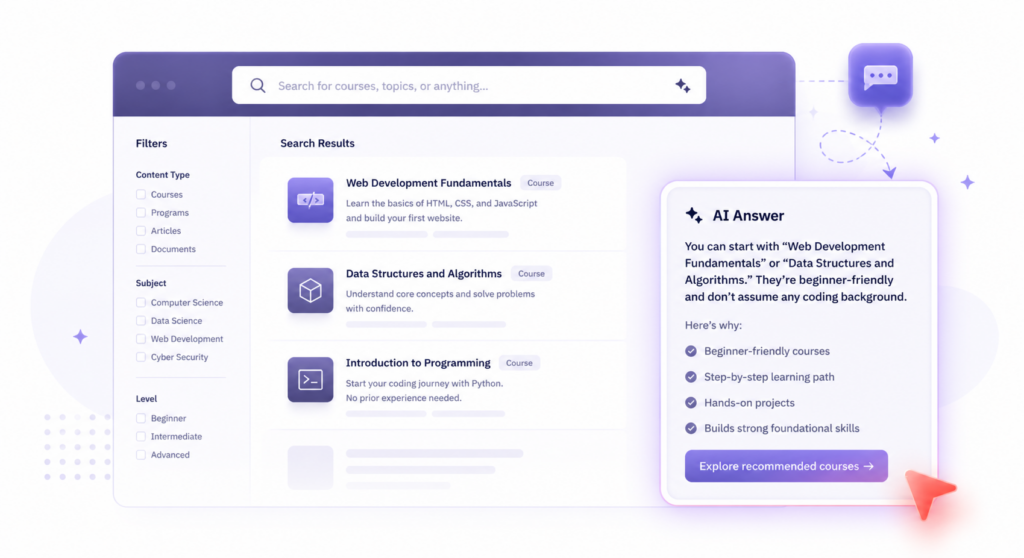
It sits on top of whatever search setup is already in place, or stand alone. Organizations that already use a search provider do not need to replace it. AI Answers works alongside it and gives the existing experience a direct upgrade.
It is the right starting point for organizations that want visitors to stop leaving empty-handed. It handles the high-volume, repetitive questions that make up most of what support teams deal with daily, such as application deadlines, fee structures, eligibility requirements, and service locations.
AI Conversations
AI Conversations is for visitors who need to explore rather than just look something up. It enables full multi-turn conversations on the website, where each follow-up question builds on what has already been asked.
It is not a scripted flow. It understands the site’s content and remembers the context of the conversation, so visitors can narrow down through several rounds of questions without losing their place.
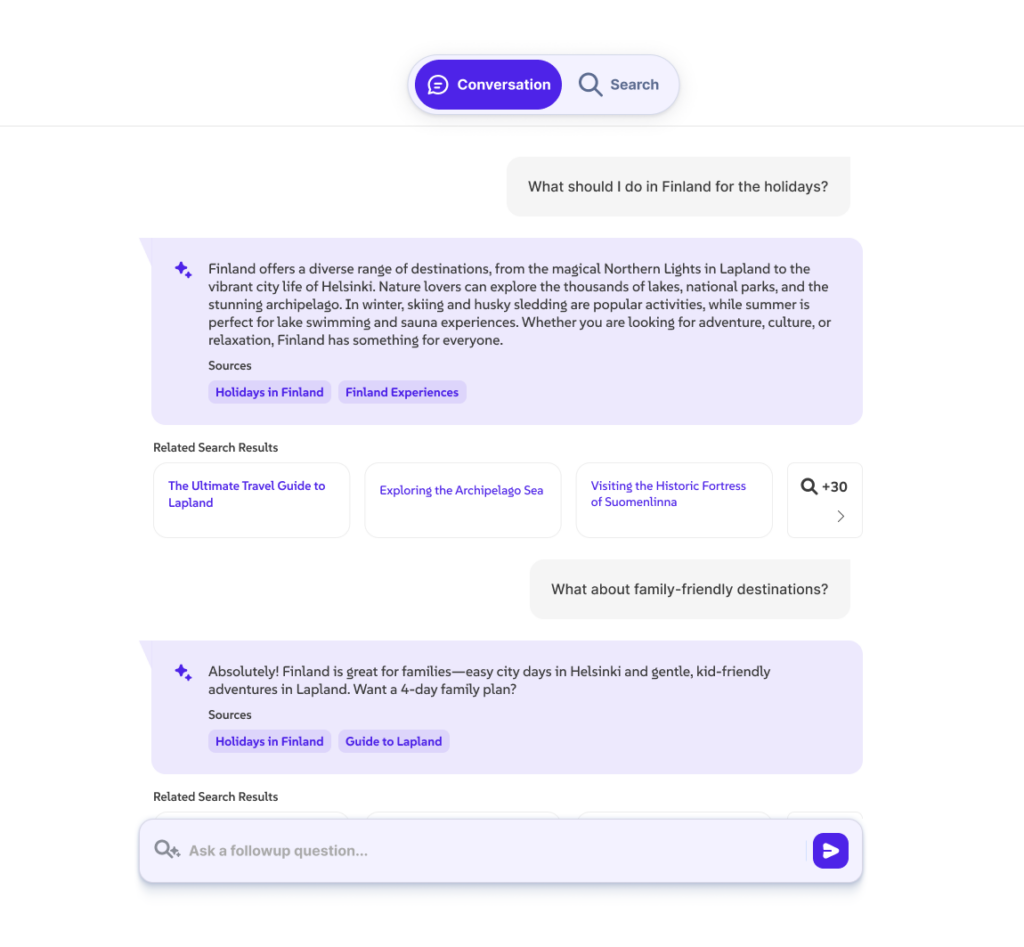
It can be accessed from the search bar or through a floating icon, and resized from a small overlay to a full-page experience. Responses appear as they generate, so there is no waiting for a full answer to load before reading. The UI is also fully customizable, so organizations can adapt the look, feel, and placement to match their website rather than working around a fixed design.
For organizations where visitors regularly need to dig into complex or multi-part topics, this is the capability that turns a website into a genuine self-service resource rather than a starting point for a support call.
AddSearch Experience
AddSearch Experience brings all three capabilities together in one interface. Keyword search, AI Answers, and AI Conversations work as a unified experience rather than separate tools.
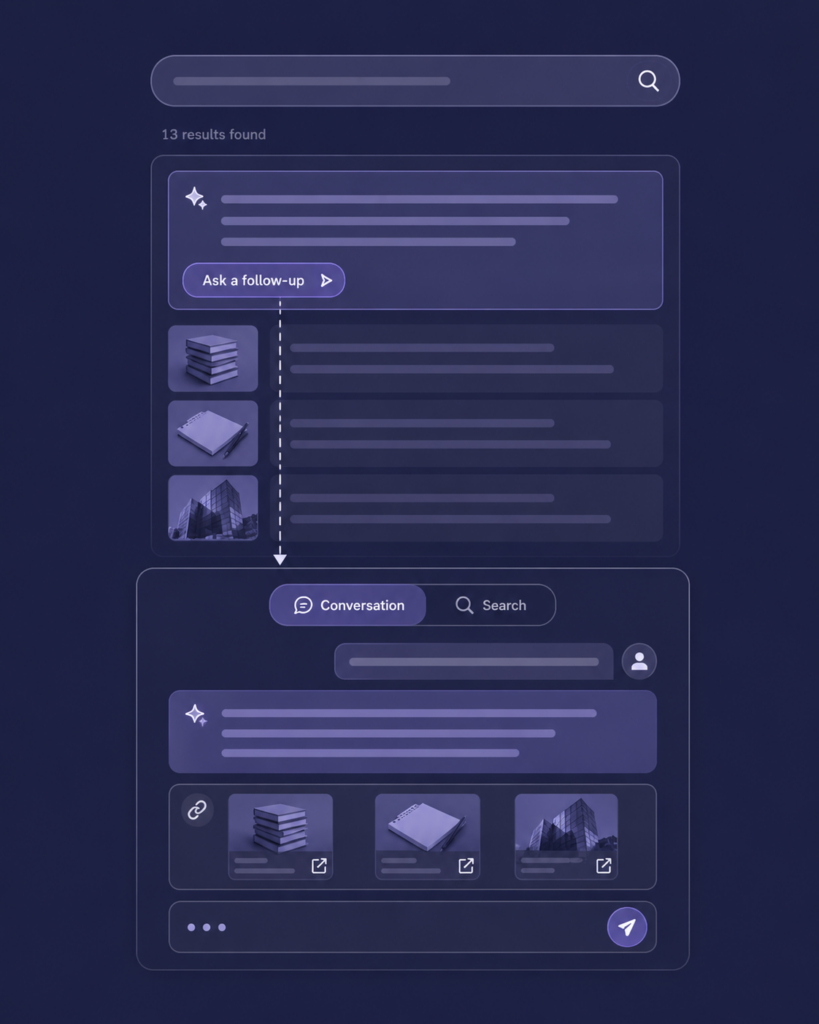
A visitor can start by typing a keyword, receive an AI-generated answer, and continue into a multi-turn conversation, all without switching between different parts of the website or different tools. The experience feels continuous because it is.
For organizations ready to make the full shift from link-based navigation to intent-driven discovery, AddSearch Experience is the unified starting point. For those who want to build toward it, starting with AI Answers and adding AI Conversations when the time is right is a straightforward path.
None of these capabilities requires a content migration or a site rebuild. AddSearch indexes the existing website content and starts delivering answers from it. The implementation is measured in days, not months.
“Our goal with the Conversational Search UX was to meet users where they already are, not force them into an unfamiliar interface. Answers appear right in the existing search. One click lets them ask a follow-up question; another reveals related results. We aren’t teaching your site visitors new habits; we are seamlessly augmenting what they already expect.”
Moamen Kohail, Senior UI/UX Designer, AddSearch
What This Looks Like in Practice
Lone Star College: Giving Students Direct Answers with AI Answers
Lone Star College, one of the largest community college systems in the United States, uses AI Answers on their website to help students get direct answers to their questions without navigating through the site’s full section structure.
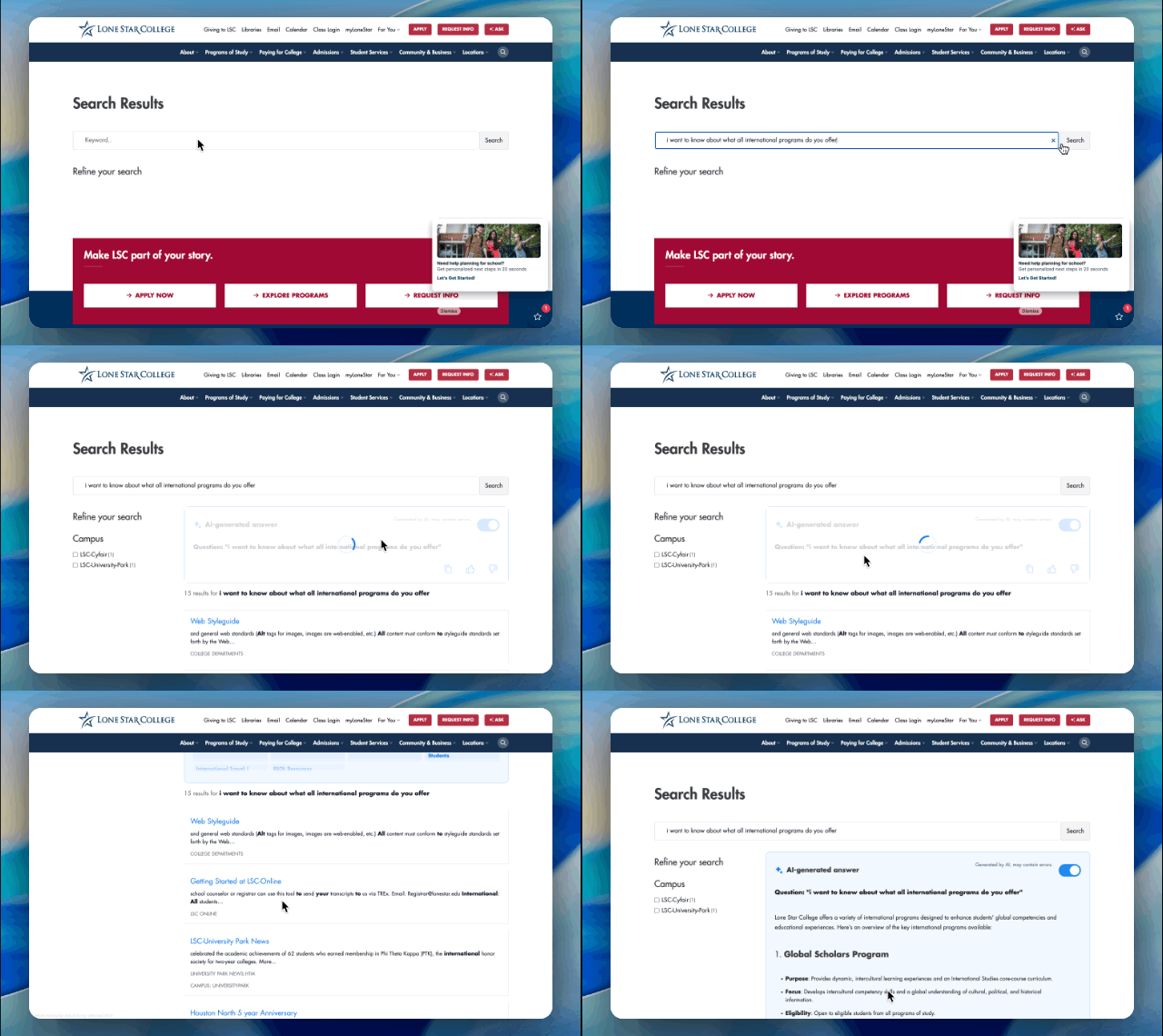
Students can ask questions about admissions, programs, campus services, and academic support and receive immediate, accurate answers sourced from the college’s own content. The experience reduces the need to click through multiple pages to find a single piece of information.
AddSearch.com: Serving visitors the AddSearch Experience
The AddSearch website itself uses Keyword Search, AI Answers, and AI Conversations, making it one of the clearest demonstrations of how these three capabilities work together in practice as AddSearch Experience.
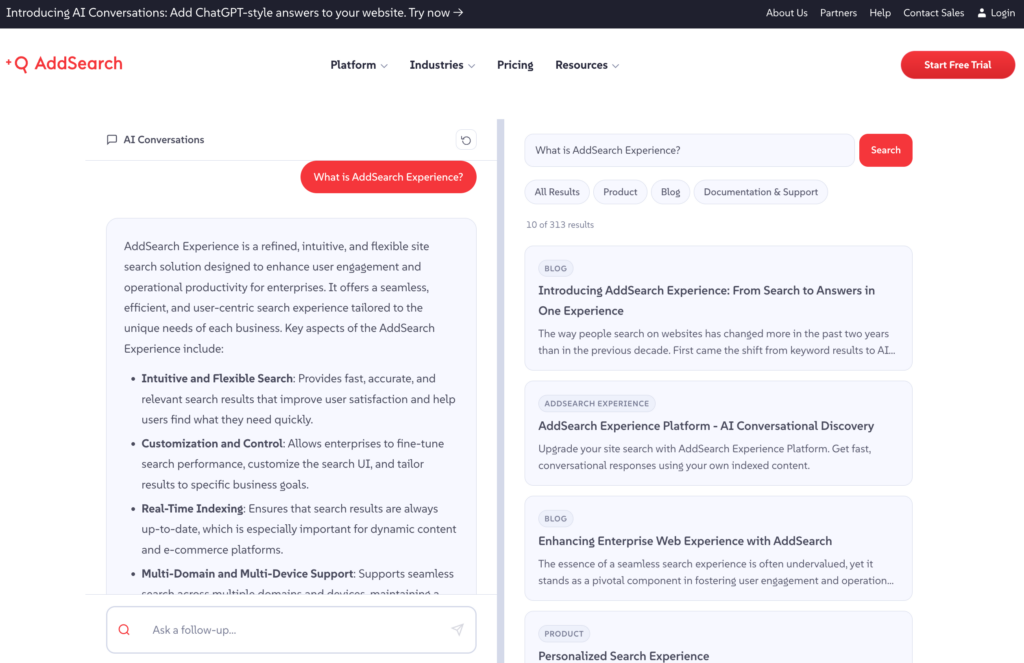
Visitors can ask a direct question and receive an immediate answer along with the search results. If they want to dig deeper, they can continue the conversation through follow-up questions. The search results panel updates in real time alongside the conversation, so the full search experience remains available at all times.
The result is a site where navigation is available for those who want it, but is rarely the only or fastest route to an answer.
What to Look for When Evaluating Conversational Search for Your Site
If you are assessing whether conversational search is the right addition for your website, these are the things worth checking carefully.
Answers from your content only. Any AI search tool you consider should be able to demonstrate that its answers come exclusively from your indexed website content. If a system can pull from external sources or general web knowledge, you lose control over what visitors are told and introduce the risk of inaccurate or off-brand responses.
Source citations included. Every answer should include a link to the source page it drew from. Visitors who want to verify an answer or read further should be able to do so immediately. This also builds trust, particularly for organisations in regulated industries where accuracy is non-negotiable.
Works alongside existing search. Conversational search should complement what is already in place, not require replacing it. If your website already has a search setup, a good implementation adds the conversational layer on top of it without disrupting what is working.
Analytics that show content gaps. The conversation logs from an AI search tool are among the most useful data a content team can access. They show exactly what visitors are asking, which questions are being answered well, and which ones are returning no useful result. That data points directly to where content needs to be improved or created.
Implementation that does not require a rebuild. Adding conversational search should be a matter of indexing existing content and dropping in a code snippet. If a vendor is suggesting a multi-month implementation with significant development resources, that is worth questioning.
The Shift Worth Making
Navigation organizes your content. Conversational search delivers it.
These are two different jobs, and a website that treats them as one ends up asking visitors to do more work than they should. When someone arrives on your site with a specific question, the answer should be one question away, not five clicks deep.
The organizations getting the most from their content right now are not necessarily the ones with the best information architecture. They are the ones that have made it easy to ask a question and get a direct answer, regardless of where that answer lives in the site structure.
If you want to see what that looks like on your own website content, start a free trial of AddSearch Experience now or book a personalized demo.
