



Someone lands on your site with a real question. They type it into your search. They get nothing back. No result, no next step, just a blank page and a dead end.
That is a no-results search, and it is one of the most honest signals your website gives you. It tells you, in the visitor’s own words, exactly what they wanted and exactly where you failed to deliver it. Think of it as a librarian who comes back empty-handed. The empty hands are bad. A librarian who never admits the gap, and quietly waves you toward the wrong shelf, is worse.
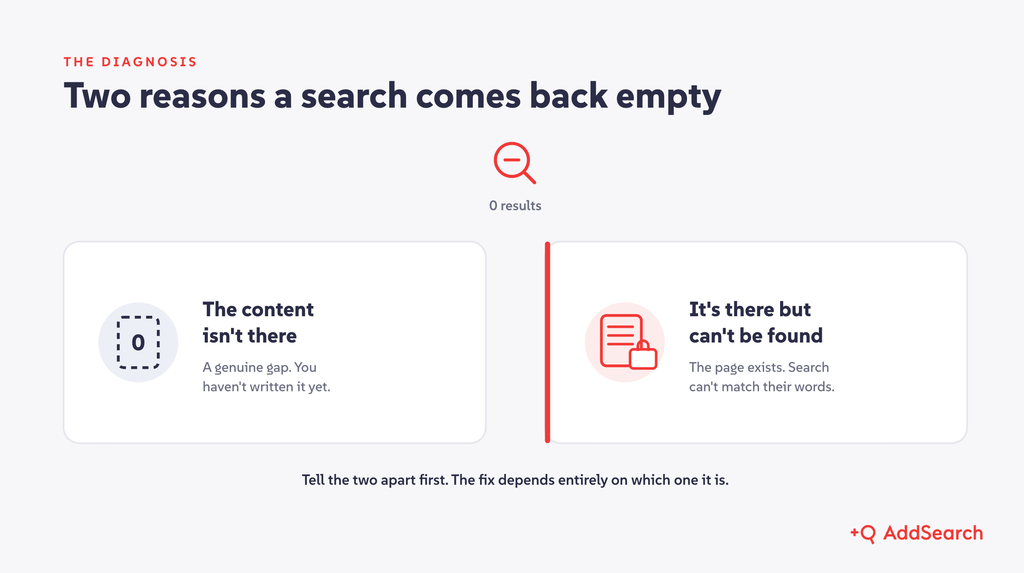
Most no-results searches come down to one of two causes. Either the content does not exist on your site, or the content exists and your search cannot connect it to the words the visitor used. Nielsen Norman Group has noted that users often hit no-results pages even when the right content is sitting right there (NN/g, 2014). Those two causes need different fixes, so telling them apart is the whole game.
In 2026, the cost of getting this wrong is higher than it used to be. A dead end no longer just loses a visitor on your site. It sends them to an external AI assistant that answers from content you do not control.
Why no-results searches cost more than they appear to
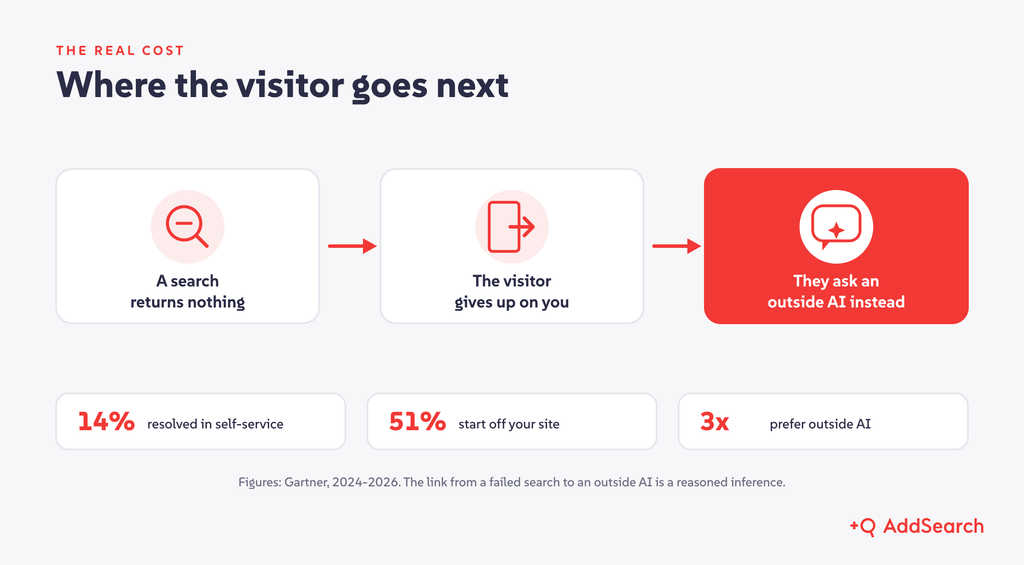
Self-service failure is mostly a findability failure. Gartner found that only 14% of customer service issues are fully resolved through self-service, and in 43% of those failures, customers said they simply could not find content relevant to their issue (Gartner, August 2024). The content often exists. People just cannot reach it.
Now add where people go next. More than half of customer service journeys, 51%, now start on third-party platforms like Google and ChatGPT rather than on a company’s own site (Gartner, July 2025). Customers are roughly three times more likely to use a third-party GenAI tool than a company’s own answer assistant (Gartner, July 2026).
Put those together. Every no-results search is a moment where a visitor is most likely to give up on you and ask somewhere else. Off your domain, you lose three things at once. You lose the answer’s accuracy, because you no longer control it. You lose the citation back to your authoritative page. And you lose the question itself, which was your clearest signal about what to build next.
To be clear about the evidence: no study yet proves that a failed on-site search directly causes a visit to an external AI. That link is a reasonable inference from the channel data above, not a measured fact. The direction of travel, though, is hard to argue with.
What counts as a no-results search
The metric is simple. Your no-results rate is the share of submitted searches that return zero results, measured over a set period.
Before you trust the number, clean it up. A few things inflate it and should be excluded or reported on their own:
- Bot and automated traffic, which can account for a surprising share of zero-results queries.
- Empty queries, where someone hits enter with nothing typed.
- Type-ahead keystroke events, if your search logs every character rather than every submitted search.
- Zero results caused by the visitor’s own filters, which is a filtering problem, not a content or findability problem.
One word on benchmarks. You will find blog posts citing a “good” rate of under 2% to 5%. Almost all of those numbers come from retail vendors, and none publish a method, so they do not transfer to a documentation site, a member portal, or a university site. Ignore the universal target. Track your own trend instead, and watch the rate fall as you work the list. A falling line against your own baseline is the only benchmark that means anything.
Why no-results searches happen
Sort every top query into one of two buckets. The bucket decides the fix.
Bucket one: the content does not exist. Visitors ask about a feature you have not documented, a policy that just changed, a deadline, or something outside your scope entirely. This is a genuine content gap. No search tuning fixes it, because there is nothing to find.
Bucket two: the content exists but cannot be found. This bucket is larger and more interesting, and it has recognizable causes:
- Vocabulary mismatch. People rarely use your words. In a classic study, two people picked the same term for the same thing less than 20% of the time (Furnas et al., Communications of the ACM, 1987). Acronyms, internal product names, and clever labels make this worse.
- Typos and misspellings. One analysis of failed searches found that 30% of zero-hit queries could have been resolved by automatic spelling correction alone (Behnert and Lewandowski, 2017).
- Matching that is too strict. Exact-match logic, missing stemming, or requiring every term to match will return nothing for queries that are almost right.
- Natural-language questions. Visitors increasingly type full questions. Keyword-only search chokes on the filler words and returns zero.
- Indexing gaps. The page exists but your index never saw it. Common culprits are content behind a login, JavaScript-rendered pages, PDFs and documents, and pages excluded by crawl rules.
- A stale index. The content is published but your search has not re-crawled yet, so for days it effectively does not exist.
Naming these plainly matters, because the person fixing them is often a developer, and the credibility of the whole effort rests on being precise about the cause.
How to find your no-results searches
You cannot fix what you cannot see. Start with whichever of these you already have.
Your site-search tool. A dedicated search product will report no-results queries directly, usually as a “no results” or “no hits” view with a count per query. This is the fastest path, because the data is already structured for you.
Google Analytics 4. GA4 captures site search as part of Enhanced Measurement, so you can see what people search for. One important catch: GA4 has no built-in zero-results metric. To separate the failed searches from the rest, you need a custom event that fires when the results page comes back empty. It is worth the setup. Verify the exact steps against the current GA4 interface before you follow any guide, since the product changes often.
Raw search logs. If you have server-side logs, pull three to six months, take the top queries by frequency, and isolate the list that returned nothing. Then do the unglamorous but revealing step: run those top queries yourself and look at what comes back.
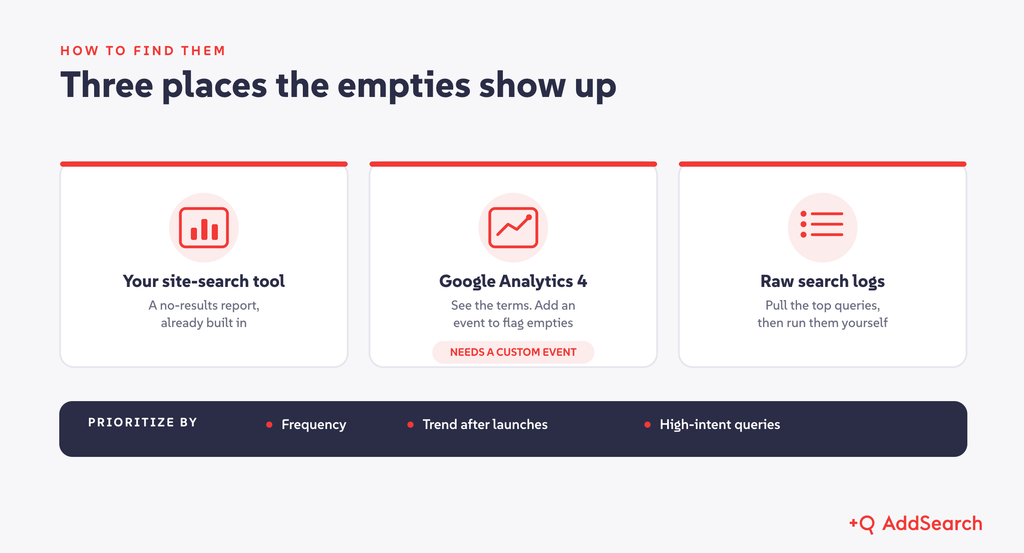
Once you have the list, prioritize. Lead with frequency, because a query asked 400 times matters more than one asked twice. Watch for trends, especially new terms that spike after a launch, a policy change, or a deadline. And weight high-intent queries, the ones tied to support, enrollment, renewals, or compliance, above idle curiosity.
How to fix them, mapped to the cause
Match the fix to the bucket. Here is the working list.
| Root cause | Fix |
|---|---|
| Synonyms, jargon, acronyms | Build synonym and alias lists that tie your branded terms to the generic words people actually search. Feed no-hit queries back in as new synonyms. |
| Typos | Turn on fuzzy matching and typo tolerance, and offer a “did you mean” suggestion. |
| Matching too strict | Revisit your matching logic, stemming, and language settings so near-right queries still return something useful. |
| Known high-value queries | Pin the best result, or redirect a known query straight to its destination. “Login” should go to the portal, every time. |
| Genuine content gaps | Write the missing page. For out-of-scope queries, show a helpful no-results message that points to the right place instead of a blank screen. |
| Indexing gaps | Index your PDFs, JavaScript-rendered pages, and gated content, with access rules respected. Audit crawl include and exclude rules. |
| Stale index | Re-crawl faster, or trigger indexing when content is published, so new pages are findable the same day. |
| Natural-language questions | Add semantic search, which understands intent rather than matching exact keywords. |
| Questions with no single matching page | Add grounded AI Answers that synthesize one cited answer from your own content. |
| Exploratory or multi-part questions | Add AI Conversations, so visitors can refine and follow up on your domain instead of leaving to ask elsewhere. |
The last three rows deserve a closer look, because they handle the hardest queries and they are where on-site search has changed the most.
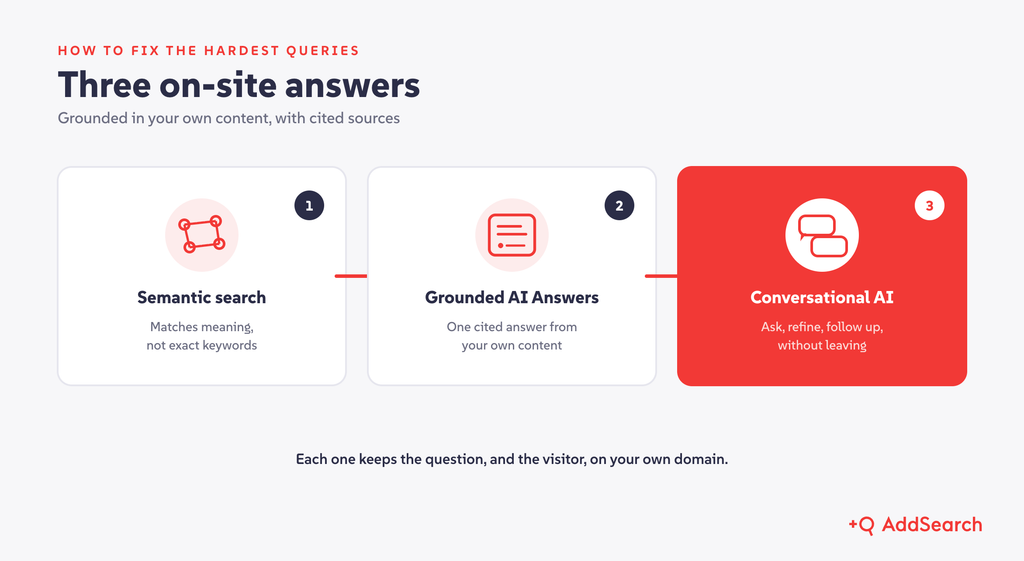
Semantic search attacks the vocabulary and natural-language causes at the root. It matches on meaning, so a visitor no longer has to guess your exact keyword. GOV.UK moved to semantic search and ran a controlled test on consenting users. The result was a 14% increase in click-through, an 11% drop in people having to refine their search, and an 8% reduction in people leaving from the search page. That is a direct, measured cut in failed searches on a large public site.
Grounded AI Answers go a step further for questions that have no single matching page. The answer is generated from your own content and returns with cited sources, so the visitor gets a direct response without hunting across ten pages.
Conversational search handles the exploratory and multi-part questions that a single query never captures well. The visitor asks, refines, and follows up, all in a dialogue grounded in your content with sources on every turn. This is the most direct on-site answer to the leakage problem. It keeps the back-and-forth on your domain rather than handing it to an external assistant.
One honest caveat ties these together. Semantic search, AI Answers, and AI Conversations all shrink the “exists but cannot be found” bucket. None of them fills a true content gap. Worse, they can hide a gap by returning a weak answer instead of an empty one. So extend your metric. Alongside classic zero results, watch for low-confidence answers, answers with no citation, and “no answer” or “partial answer” rates. Those are your new signals of a gap.
Make it a loop, not a one-time cleanup
No-results searches are not a project you finish. New content, new questions, and new launches reopen the list constantly. Run it as a cycle.
First, instrument your search so every query, result count, and click is logged. Second, find the failures with a regular no-results report. Third, diagnose each top query into its bucket: missing, or present but unfindable. Fourth, fix it with the matching remedy and assign an owner. Fifth, monitor the trend, re-test what you fixed, and catch new spikes early.
The quiet blocker here is ownership. In a lot of organizations, the person who sees the no-results report cannot actually change the search, and every tweak waits on a queue. Decide who owns same-day adjustments before you need them.
Where AddSearch fits
If you want this to be routine rather than a standing project, this is the problem AddSearch is built for. AddSearch provides one search, AI answer, and conversational discovery layer across your entire content estate, grounded in your own content with cited sources, everywhere that content lives.
Gated and authenticated content is indexed through authenticated crawling and API-based indexing, which gives you flexibility and speed. We support your stack now rather than waiting on a connector roadmap. Semantic search, AI Answers, and AI Conversations are part of the same platform, so the hard queries above get answered on your domain instead of someone else’s. You can implement yourself using ready-made UI solutions, UI libraries, and APIs, or work with AddSearch’s team.
A good first step costs you nothing but attention. Pull your no-results report, sort the top queries into the two buckets, and see how many are findability problems rather than content gaps. That list is your roadmap.
