


When a visitor lands on your website and types a question into the search bar, what happens next matters more than most businesses realize. A list of keyword-matched results might have been enough a few years ago. Today, users arrive with different expectations – shaped by the conversational AI experiences they’ve had with ChatGPT, Gemini, and other tools.
The good news: you don’t have to throw out your existing setup to meet those expectations. If you already have keyword search running on your site, you can layer conversational AI search on top of it – keeping what works while adding the experience your visitors increasingly expect.
Here’s a practical look at what that looks like, how it works, and what the implementation process actually involves.
Why Website Search Expectations Are Shifting
For more than a decade, search behaviors users develop on external platforms – Google, then voice search, now AI assistants – eventually migrate to their website expectations too. It’s a pattern that plays out consistently.
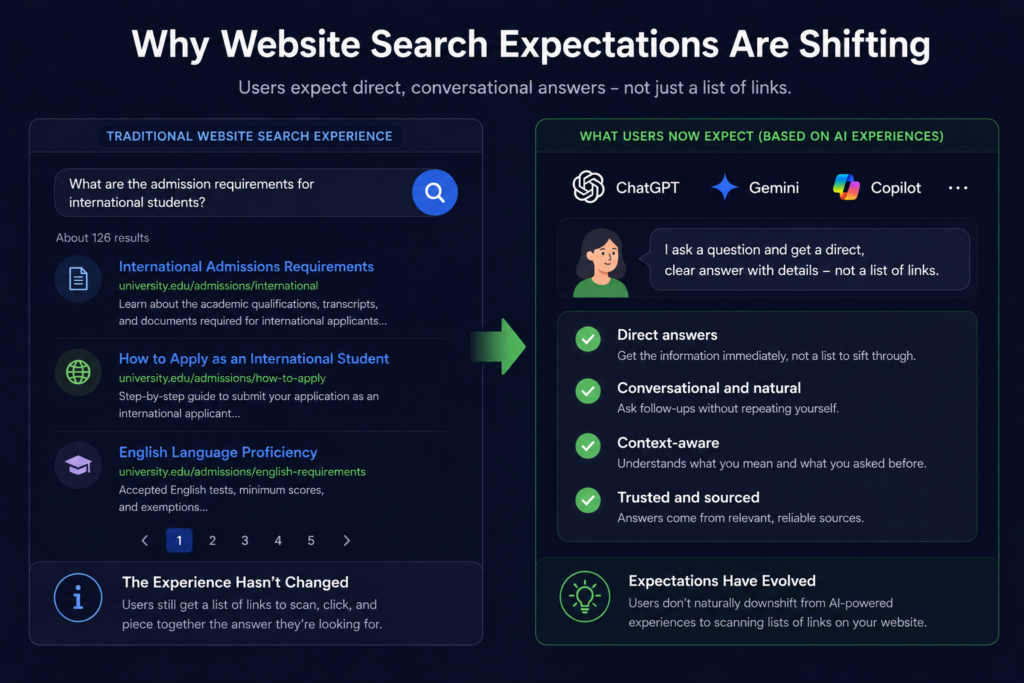
What’s happening right now is the AI version of that shift. Users who regularly get direct answers from conversational search tools don’t naturally downshift to scanning a list of links when they arrive on your site. Many still do, and keyword search remains valuable – but a growing segment of visitors expects more.
The practical answer isn’t to abandon keyword search. It’s to offer both: traditional results for users who prefer browsing, and a conversational AI layer for users who want direct answers.
As Google AI and tools like ChatGPT reshape how people find information, the websites that adapt fastest will have a clear edge.
The Three Solutions: What Each One Does
AddSearch offers three distinct configurations, designed to fit different stages of AI adoption.
AI Answers
AI Answers is a focused, one-question-one-answer solution. A visitor types a query or question, submits it, and gets a generated answer pulled directly from your website’s indexed content – followed by standard keyword search results below.
The answer includes a concise opening response, a more detailed follow-up with structured formatting, and source links showing exactly which pages on your site informed it. Users can also rate the answer with a thumbs up or down, which feeds into quality monitoring.
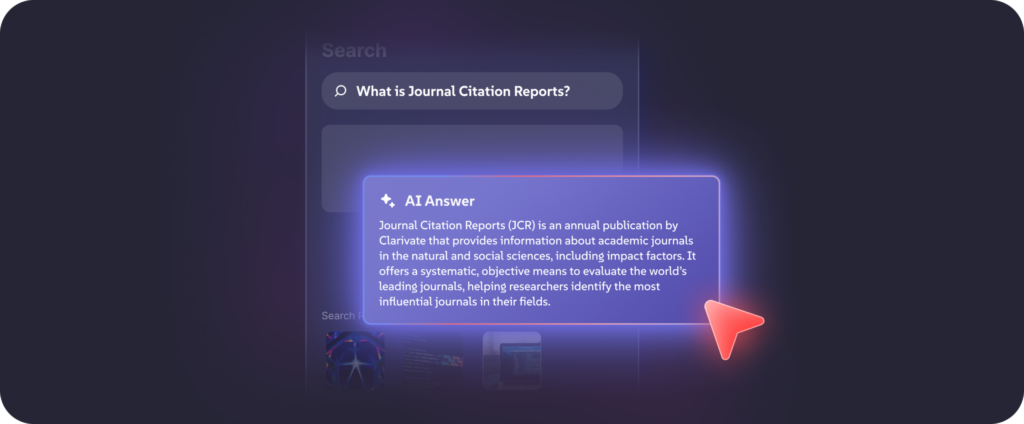
A few things worth knowing about how it works:
- It only uses your content. AddSearch indexes your website, and AI Answers draws exclusively from that index. No external sources, no hallucinated information – just your content, cited transparently.
- It’s a single interaction. Each question starts a fresh context. There are no follow-up questions within the same session.
- It sits alongside existing results. If you already run keyword search, AI Answers appears above those results without replacing them.
This makes AI Answers a practical entry point – meaningful added capability without a major overhaul.
AI Conversations
AI Conversations introduces conversational memory. A user asks an initial question, gets an answer, and then asks follow-up questions – without repeating context they’ve already provided.
Say a visitor asks “What carpets do you have available?” and then follows up with “What’s the cheapest one?” The system understands the second question is still about carpets. It carries context forward naturally, the same way a well-informed customer service rep would.
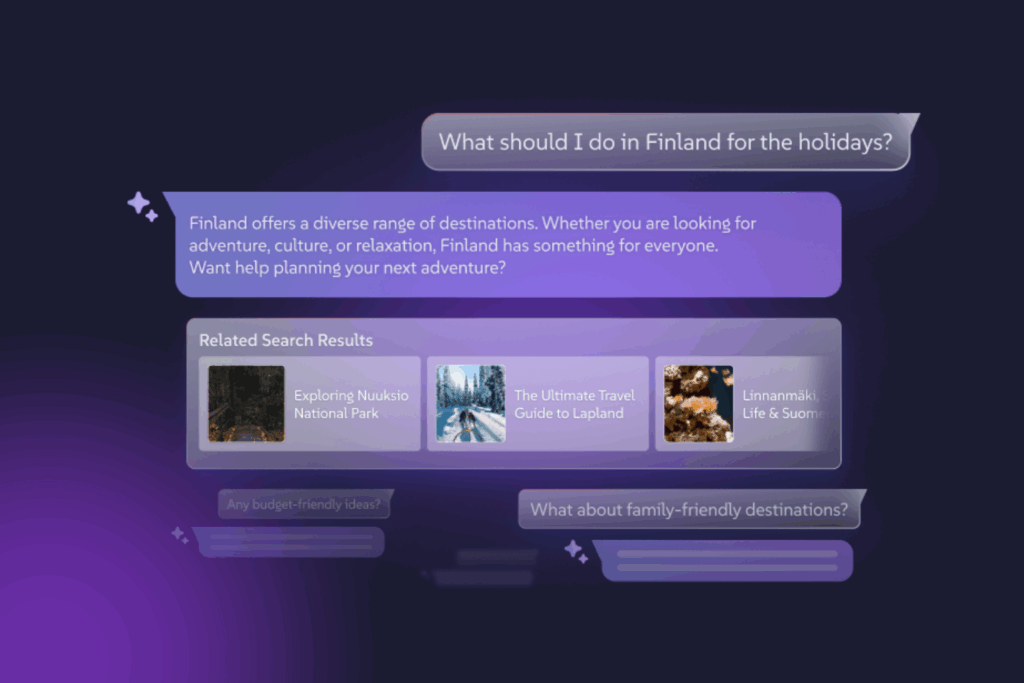
This is where AI-powered site search starts to feel genuinely different from traditional search. A few additional details:
- The search query adapts automatically. When a user switches to the keyword search view, the query synthesizes both questions asked – so results stay relevant to the full conversation, not just the last message.
- It works standalone or alongside keyword search. Some customers use AI Conversations as their primary search experience. Others combine it with traditional results.
- Flexible implementation options; from ready-made options to very much custom UI possibilities based on your needs.
AddSearch Experience
AddSearch Experience brings all three together – AI Answers, AI Conversations, and keyword search – in a single unified interface.
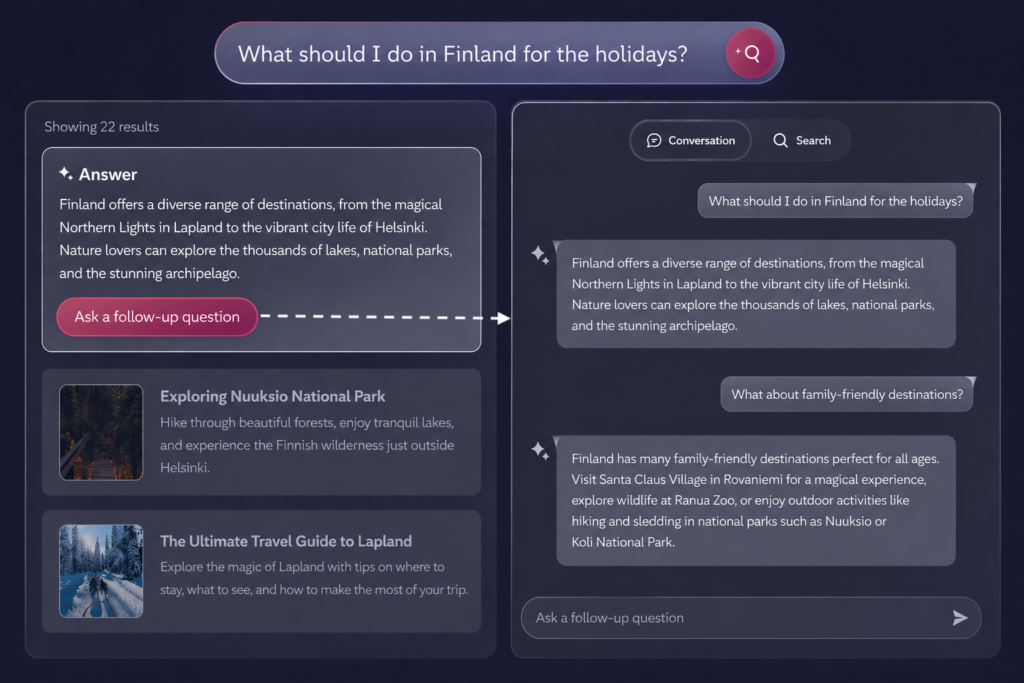
As a user begins typing, they see real-time keyword suggestions and top results. After they submit a search, keyword results and a generated AI answer appear side by side. From there, they can continue with keyword search or move into a conversational thread – whichever serves their needs.
This configuration suits sites with diverse user types: some who prefer browsing, others who want direct answers, and others who want to explore a topic through conversation.
Pricing for AddSearch Experience is custom, based on your specific requirements and usage volume.
What the Implementation Process Looks Like
One concern that often comes up: how complicated is it to actually get this running?
A standard implementation typically takes a few days. More complex setups take longer, but the underlying process stays the same – and an implementation manager works with you at every stage.
Step 1: Kickoff Everything starts with a scoping call. This covers which domains and site sections to index, which parts to exclude, who needs to be involved on your end, and what the finished solution should look like. Timelines get confirmed here too.
Step 2: Indexing and Testing AddSearch crawls and indexes your selected content, then builds a working demo for you to test – usually on a staging environment, so nothing touches production. You evaluate answer accuracy, test the flow, and flag anything that needs adjusting. It’s a back-and-forth phase by design.
Step 3: Configuration and Refinement Once the core behavior works as expected, the focus shifts to making it yours. This includes:
- Prompt customization – shaping how answers are generated, formatted, and toned to match your brand voice
- Content prioritization – promoting certain sources, deprioritizing others, or weighting more recent content
- Display preferences – choosing where the conversational search UI appears and how it behaves
- UI placement – deciding whether the solution lives in a search bar, a floating button, a side panel, or elsewhere
Step 4: Go Live Once you approve the staging version, the implementation manager delivers the code snippet and installation instructions. You embed it on production, apply any final CSS adjustments, and you’re live.
Dashboard training is also part of the process. Your team learns how to monitor performance, review conversations, and make ongoing tweaks without needing outside help.
The Controls You Have Over Your AI Search
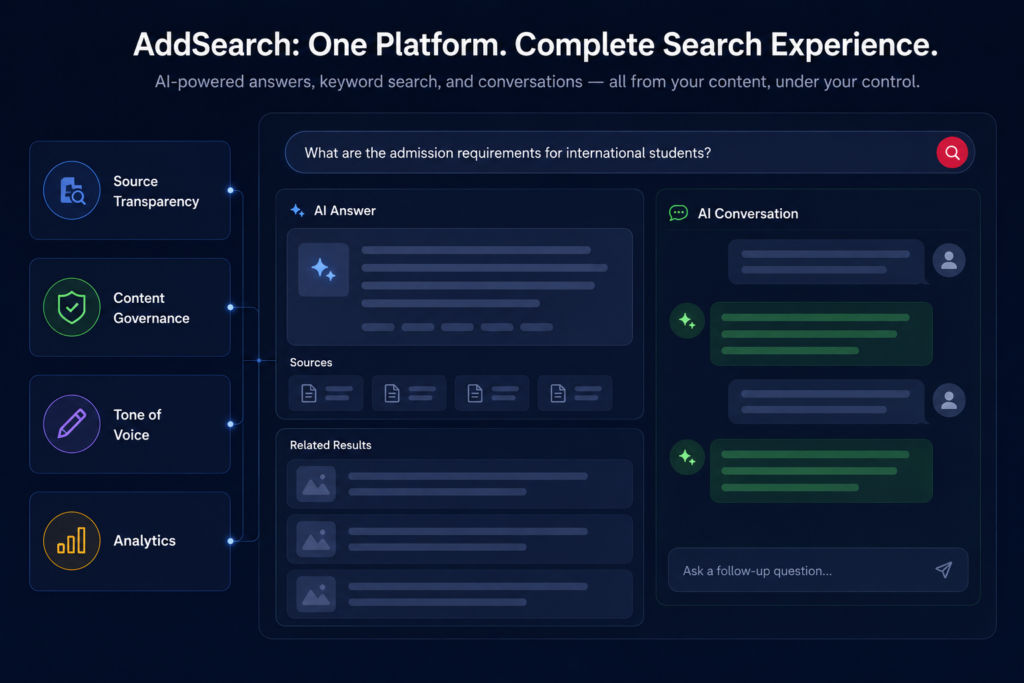
Source Transparency
Every AI-generated answer shows the source pages it drew from. This reassures you that content stays on-brand, and it helps users know where to go for more detail.
Content Governance
You define which parts of your site feed the AI. Want to exclude legacy content, internal pages, or anything outdated? Scope those out from the start. You can also promote certain sources, deprioritize others, and give more weight to recent articles – all from your dashboard.
Tone of Voice
The AI learns vocabulary from your content. But you can go further: specify formal or casual responses, instruct it to use bullet points or avoid them, and define how it handles specific topics. Think of it as a team member who knows your brand and follows your guidelines.
Analytics
The AI products include a dedicated analytics dashboard, separate from keyword search. You can see every question asked and every answer given. For AI Conversations, you can open individual session threads and review the full exchange.
This is useful for more than quality control. It reveals how your visitors think about your products and services – what words they use, what they’re trying to accomplish, and where existing content falls short. Many customers use these insights to improve their content strategy and get a clearer picture of what users search for on external platforms too.
Choosing the Right Starting Point
Already an AddSearch customer with keyword search running? AI Answers is the most straightforward place to start. It sits alongside your existing results, adds a visible AI-powered site search layer, and doesn’t replace anything that’s already working.
Want users to explore topics in depth – comparing options, asking follow-ups, getting context-aware answers? AI Conversations is the right fit. It’s also the right choice if you want to replace a basic search experience with something more modern.
Want the full picture – conversational AI search plus keyword search in one unified interface? AddSearch Experience brings it all together.
See It With Your Own Content
Reading about how conversational AI search works is one thing. Seeing it generate answers from your own website’s content, in real time, is another.
AddSearch’s demo uses your actual content. You see how it performs on your material before making any decisions. You get a few weeks to test it, share it internally, and decide how to move forward.
If you’re weighing whether AI-powered site search is the right next step, that’s the clearest way to find out.
Book a time with the AddSearch team to see AI works on your content.
